Workarounds for issues in Formiko markdown editor
Posted on 2026-05-16
I've been messing around with a markdown editor called Formiko. It provides a side-by-side markdown editor, much like Jezra's Markdowner. Why was I fooling around with Formiko if I already had a working solution?
- It's been ages since I set up Markdowner, and Formiko is in the debian repositories. I am lazy.
- Formiko has a
formiko-vimoption, which uses vim as your embedded editor. Neat!
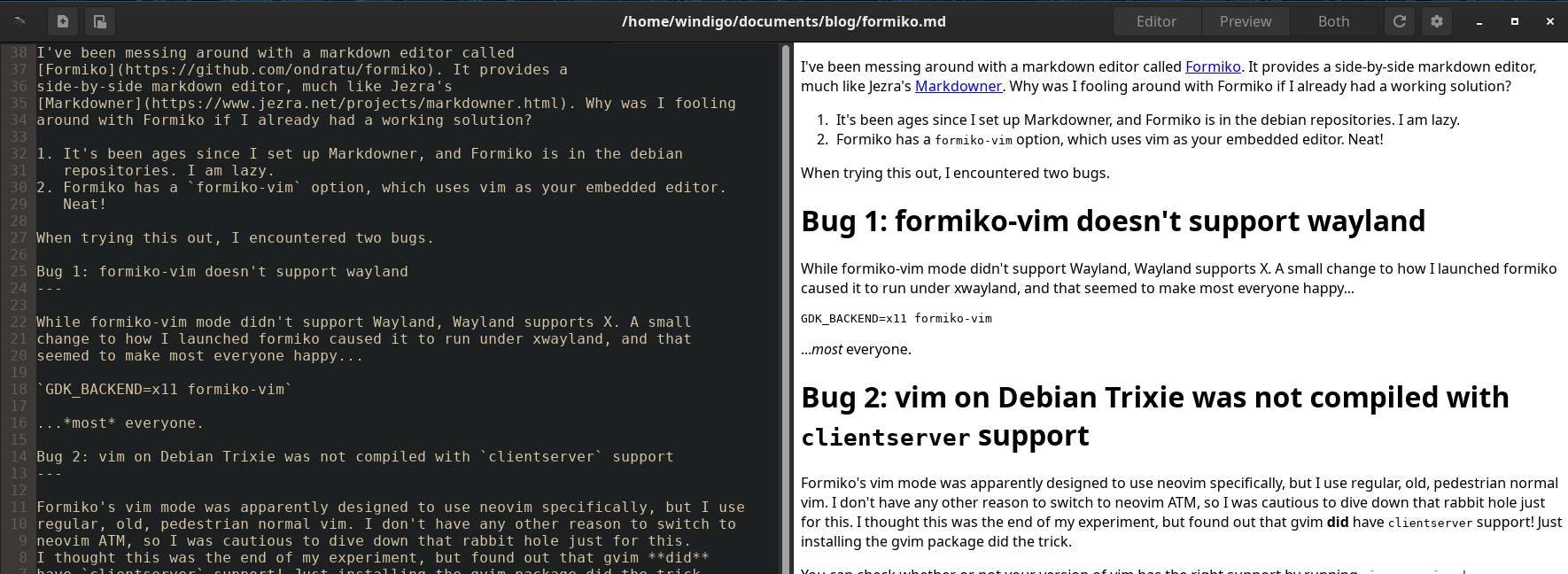
When trying this out, I encountered two bugs.
Bug 1: formiko-vim doesn't support wayland
While formiko-vim mode didn't support Wayland, Wayland supports X. A small change to how I launched formiko caused it to run under xwayland, and that seemed to make most everyone happy...
GDK_BACKEND=x11 formiko-vim
...most everyone.
Bug 2: vim on Debian Trixie was not compiled with clientserver support
Formiko's vim mode was apparently designed to use neovim specifically, but I use
regular, old, pedestrian normal vim. I don't have any other reason to switch to
neovim ATM, so I was cautious to dive down that rabbit hole just for this.
I thought this was the end of my experiment, but found out that gvim did
have clientserver support! Just installing the gvim package did the trick.
You can check whether or not your version of vim has the right support by
running vim --version | grep clientserver; if you see +clientserver you're
in business. If you see -clientserver, give gvim a try.
You can also try one of the other install options; formiko's also available as a flatpak, and it might have more compatibility bundled in.
I'm not sure if I'll stick with Formiko for my markdown-ing needs (I use CommonMark myself, and it has an option to use that parser), but it does have a lot going for it. I'm getting a lot of writing done on repo READMEs and blog posts, so that's a good sign!
Tags: markdown linux troubleshooting wayland